

gguf-code: IDE AI Coding Assistant
Monster coding agent lives in your IDE - moving beyond a CLI bridge to a fully native IDE AI assistant.
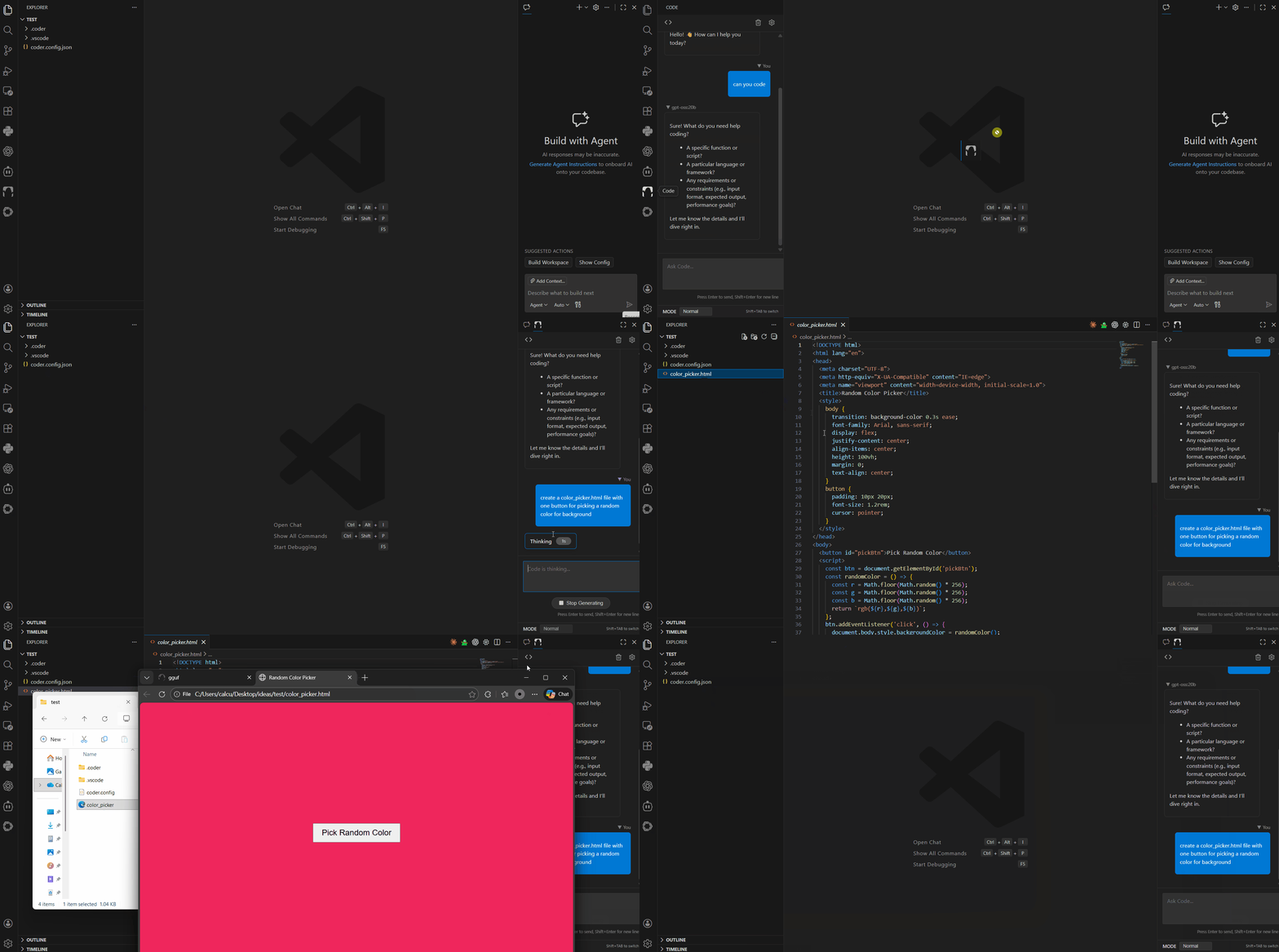
Shipped to vscode marketplace and it's compatible IDEs, i.e., cursor, windsurf, antigravity, etc., marketplaces
Features
- Native Chat Interface: Deeply integrated webview clean ui for smooth chat interactions inside VS Code (and/or its clone/fork IDEs).
- Embedded AI Engine: Run Coder's powerful AI logic directly within the extension process - no external CLI tool required.
- Project-Aware Context: Automatically understands your workspace structure and active files.
- Smart Tools:
read_file: Intelligently reads file contents with progressive loading for large files.write_file,find_files, and more (Coming Soon).
- Live Diff Preview: Preview AI-suggested code changes with standard VS Code diff views.
- Diagnostics Integration: Uses LSP diagnostics to help fix errors in your code.
Requirements
- Visual Studio Code version 1.104.0 or higher
coder.config.jsonin your workspace root (for configuring AI providers).
Getting Started
Installation: Install the extension from the VS Code Marketplace or via
.vsix.Configuration: Ensure you have a
coder.config.jsonin your project root (see example below, can be any OpenAI compatible API or local/self-hosted API).lmstudio (localhost) example:
{
  "coder": {
    "providers": [
      {
        "name": "lmstudio",
        "models": [
          "openai/gpt-oss-20b"
        ],
        "baseUrl": "http://localhost:1234/v1"
      }
    ]
  }
}
ollama (localhost) example:
{
  "coder": {
    "providers": [
      {
        "name": "ollama",
        "models": [
          "gpt-oss:20b"
        ],
        "baseUrl": "http://localhost:11434/v1"
      }
    ]
  }
}
fetch from any api provider, see example below:
{ "coder": { "providers": [ { "name": "openrouter", "baseUrl": "https://openrouter.ai/api/v1", "apiKey": "your-api-key", "models": ["anthropic/claude-4.5-sonnet"] } ] } }Launch: Click the "Code" monster icon in the Activity Bar (left sidebar) to open the chat.
Usage
- Chat: Type naturally in the chat window. "Explain this file", "Fix this bug", etc.
- Context: The assistant automatically knows about your open files.
Architecture
This extension has migrated from a thin client (CLI bridge) to a thick client architecture:
- Frontend: React + Vite (Webview).
- Backend: Node.js Extension Host (running
ai-sdk-client). - Communication: VS Code Message Passing API.
Development
npm install

# Build both Webview and Extension
npm run build

# Watch mode (rebuilds on change)

# Terminal 1:
npm run watch:webview

# Terminal 2:
npm run watch
Contributing
Contributions are welcome!
License
MIT